Classic
ATS-friendlyTraditional
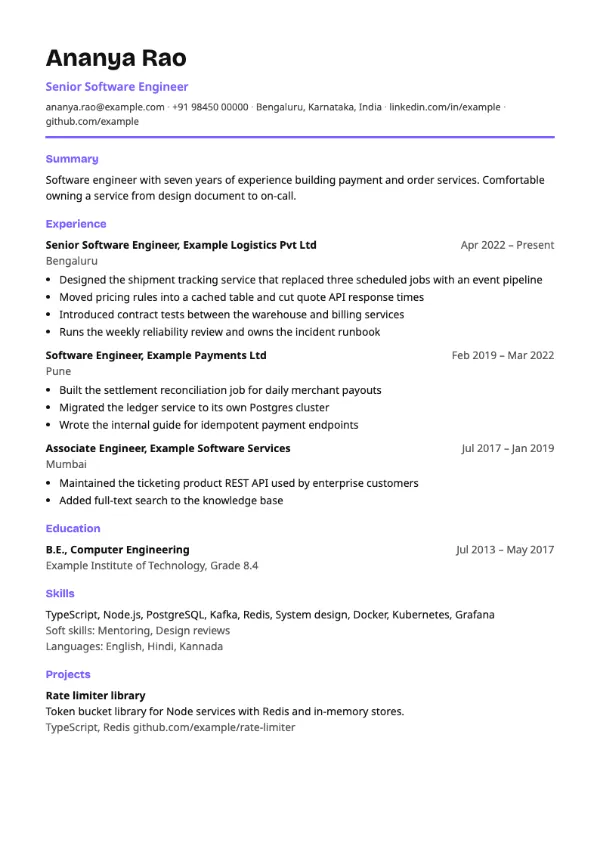
Preview with a fictional sample resume, in the default colour.
A left-aligned layout with a thick coloured rule under the header and coloured section headings.
| Detail | Modern |
|---|---|
| Layout | Single column |
| Applicant tracking systems | ATS-friendly |
| Photo | No photo area |
| Default colour | Violet |
| Other colours | 10 more, including black |
| Categories | ATS-friendly |
| Price | Free, including PDF download |
The name is left-aligned in the display typeface at a generous size, with your professional title directly below it in the accent colour. A thick accent rule closes the header. Section headings carry the accent colour instead of underlines, which gives the page a lighter, more current feel while keeping one column from top to bottom.
Software, product, design and marketing candidates at startups and mid-sized companies who want a touch of colour without giving up a standard structure. It is the default template in the OnJob builder for that reason.
Colour is applied only to text and one rule, never to a background block behind content, so nothing is hidden from text extraction. Headings use the plain names Summary, Experience, Education and Skills.
Pick an accent that prints well in grey as well as colour. Navy, teal and violet survive a black-and-white office printer; very light colours do not.
Build your resume with Modern
Create a free account, fill in your sections and download a PDF. You can switch templates at any time.