Classic
ATS-friendlyTraditional
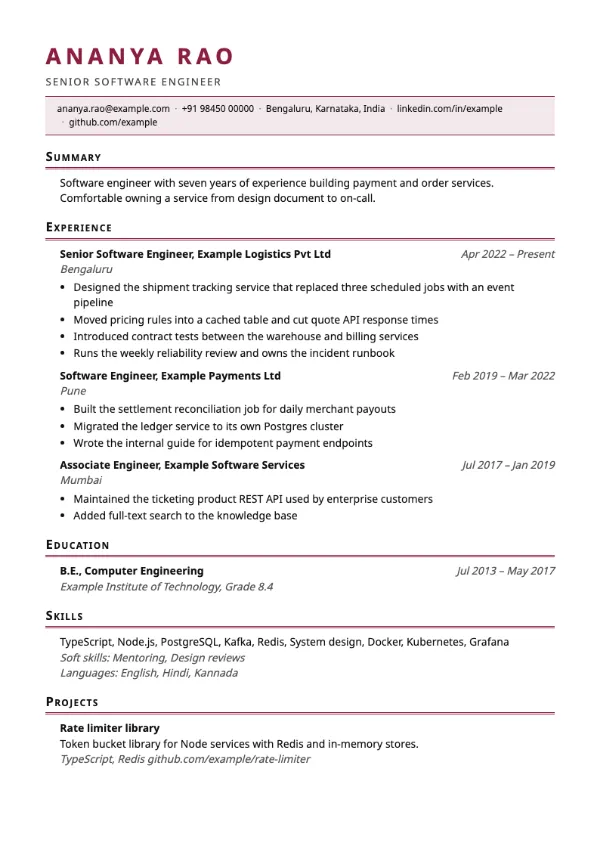
Preview with a fictional sample resume, in the default colour.
A widely spaced capital name, a tinted contact strip and small-caps headings over double rules.
| Detail | Heritage |
|---|---|
| Layout | Single column |
| Applicant tracking systems | ATS-friendly |
| Photo | No photo area |
| Default colour | Maroon |
| Other colours | 10 more, including black |
| Categories | ATS-friendly, Traditional |
| Price | Free, including PDF download |
The name is set in uppercase with wide tracking. Below it, your contact details run along a pale tinted strip framed by accent hairlines. Section headings use small capitals above a double rule, entries are indented and dates are italic. The default colour is maroon.
Academic, research, publishing, law and senior teaching applications, and any role where a classic, bookish page signals care and seriousness.
The strip and rules are decorative borders around ordinary text in one column. It is marked ATS-friendly in the builder.
For academic roles, add publications as projects with the venue and year in the description, so they stay in a field the builder already supports.
Build your resume with Heritage
Create a free account, fill in your sections and download a PDF. You can switch templates at any time.